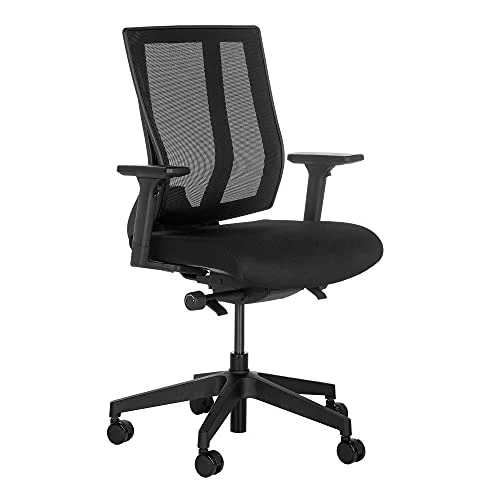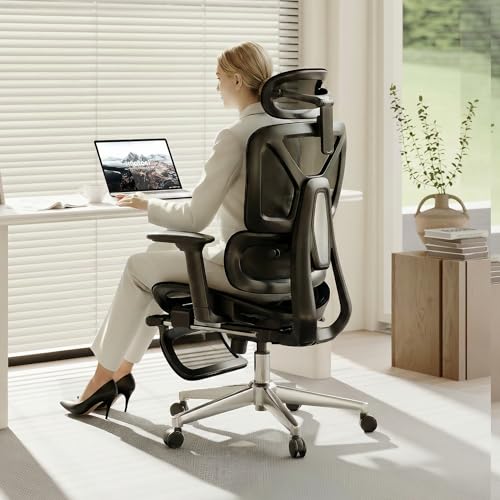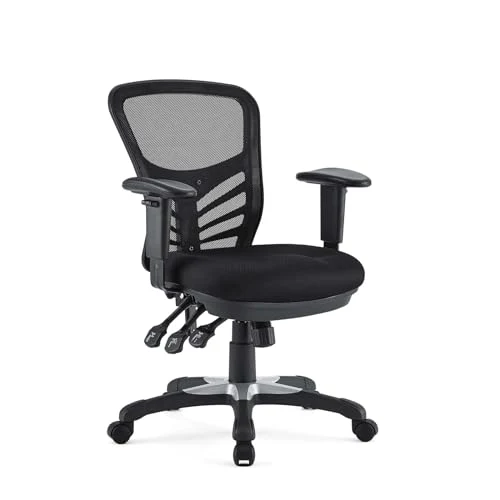
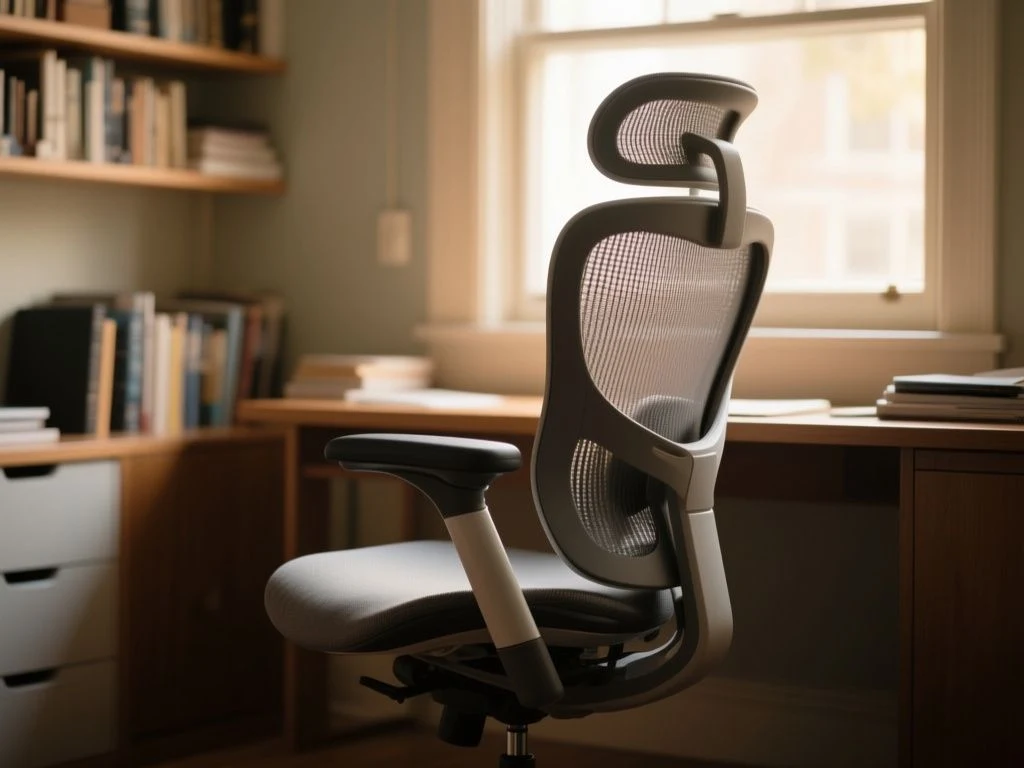
A poorly chosen office chair can leave your feet unsupported, your shoulders raised, and your back too far from the desk. The useful distinction is between adjustment range and usable fit: a chair can list many mechanisms yet still fail if its seat depth, lumbar position, armrest height, or recline behavior does not coordinate with the person and the desk. Evaluation should therefore treat the chair as part of the whole workstation, while separating standards-based safety information from subjective comfort and posture claims. That is the foundation of a sensible office chair buying guide.
Key Takeaways
- Choose seat height and depth around your body, desk, and supported feet rather than counting adjustment levers.
- Read materials, base construction, load limits, warranty terms, and maintenance requirements as carefully as comfort claims.
- Set the whole workstation together; a chair cannot correct a badly placed monitor, keyboard, or fixed-height desk.
Beginner: Start with the workstation, not the feature list
Step 1: Measure your sitting position and desk relationship
The first decision is seat height. Raise or lower the chair so your feet remain supported and your knees can stay comfortably positioned while your hands reach the keyboard without lifting the shoulders. A chair that puts the user too low can encourage a raised desk reach; a chair that is too high can leave the feet unsupported. A footrest may help with a fixed-height desk, but it should support the legs without forcing the user away from the backrest.
Seat depth needs the same attention. A seat that is too deep can prevent the back from contacting the backrest, while a front edge that presses behind the knees can interfere with comfortable leg support. The useful check is simple: sit fully back, keep the feet supported, and confirm that the seat supports the thighs without forcing the knees into the edge. The manufacturer does not always publish the adjustment range, so ask for the seat-depth dimensions before purchase if they are absent from the listing.
Seat height and seat depth must be judged together because changing one can alter the other. A chair may fit the desk at one height but lose back contact after the seat is raised. The correct position is the one that allows the chair, keyboard, monitor, and desk to work as a single arrangement.
Step 2: Match the chair to the desk
A fixed-height desk creates a common compromise. If the desk is too high for your relaxed typing position, lowering the chair can remove foot support; raising the chair can leave the feet dangling. Start with the keyboard and forearms, then restore foot support with the chair height or a suitable footrest. Do not use armrests as a substitute for a desk that is positioned incorrectly.
A sit-stand desk gives more room to coordinate the workstation, but the chair still needs a stable sitting setup at the seated height. Monitor height and viewing distance matter as well. The chair cannot compensate for a monitor that is placed too low or a keyboard that forces the arms forward.
Step 3: Adjust in a fixed order
Use a repeatable setup sequence instead of moving every control at once:
- Set the seat height so the feet are supported and the desk allows relaxed shoulders.
- Set seat depth so the back can contact the backrest without pressure behind the knees.
- Adjust the backrest or lumbar support to meet the lower back without pushing the torso forward.
- Set the armrests low enough for relaxed shoulders and close enough to support the elbows during normal keyboard use.
- Choose a recline position that allows a change of posture while keeping the screen and keyboard within comfortable reach.
There is no universally ergonomic chair position. Seat height, depth, back support, armrests, and recline must be adjusted to the user and coordinated with the desk, keyboard, and monitor.

Intermediate: Understand what the mechanisms actually change
Tilt tension and recline lock
Tilt tension changes the resistance you feel as the chair back and seat move backward. More resistance can suit a user who wants a more upright working position; less resistance permits easier reclining. Tension does not move the lumbar support, change the seat depth, or fix an incorrectly positioned desk.
A recline lock holds the chair in a selected angle. That can be useful for focused keyboard work, but a locked angle should not be mistaken for a complete posture solution. Changing posture during sedentary work remains useful, and the lock should release or engage predictably according to the manufacturer’s instructions.
Synchro-tilt
Synchro-tilt coordinates movement between the seat and backrest rather than tilting only one surface. The exact ratio and range differ by chair, so the feature name alone does not tell you how the chair will support your posture. Look for a clear description of which surfaces move, which controls set resistance, and whether the chair can lock in an upright position.
Adjustment count is a poor shortcut. A chair with fewer controls can fit better if its seat depth, lumbar position, and recline behavior work together; a chair with many controls can still leave the user reaching forward. Compare the purpose of every control rather than treating a long list as proof of comfort.
Lumbar support and backrest shape
Lumbar adjustment changes where support meets the lower back. Height adjustment matters because users do not all have the same torso proportions. Depth adjustment matters because support that projects too far can push the pelvis forward, while support that sits too shallow may feel absent.
The backrest should allow the user to sit against it without forcing the shoulders forward. A high back is not automatically a better fit, and a pronounced curve is not automatically more supportive. The listing may describe lumbar adjustment without stating its range; that missing information deserves a direct question before purchase.
Armrests and movement
Armrests should support relaxed elbows without making the shoulders rise. If they prevent the chair from approaching the desk, they can create a forward reach that defeats the backrest. Removable or adjustable armrests may help with desk clearance, but their usefulness depends on the desk edge, keyboard position, and the user’s preferred posture.
Armrests are not required to carry the forearms continuously. They should not trap the elbows or force the shoulders into one position. A chair that allows small posture changes can be more practical than one that holds the body rigidly.

Intermediate: Compare materials, base parts, and floor behavior
Mesh upholstery versus polyurethane foam
Mesh upholstery permits air movement through the back or seat area, depending on how the chair is constructed. Its feel depends on the tension, weave, frame, and support beneath it. A mesh back may suit a room that runs warm, but the listing should identify which surfaces are mesh rather than using the word for the whole chair.
Polyurethane foam seat cushioning provides a shaped, padded surface. Comfort depends on its thickness, density, shape, and how the seat edge meets the legs. The manufacturer may not disclose foam density, so avoid treating a generic foam label as a full durability claim.
Mesh is not automatically cooler in every design, and foam is not automatically softer in a useful way. Choose according to contact support, heat preference, cleaning needs, and the seat shape you can adjust. The material label is only one part of fit.
Five-star bases, gas lifts, and dual-wheel casters
A five-star chair base spreads the chair’s support across five arms, while dual-wheel casters distribute contact through paired wheels. Neither description alone confirms the chair’s load rating or suitability for a particular floor. Check the manufacturer’s stated rating and treat it as a safety constraint, not a promise of comfort or long-term service.
A pneumatic gas-lift cylinder controls seat height. Gas-lift cylinders and tilt mechanisms are pressurized or load-bearing components and should not be drilled, opened, welded, or improvised. Replacement parts must be compatible with the chair, base, and mechanism.
Caster selection must match the floor surface and chair base. Hardwood, tile, and other hard floors may need casters or a chair mat intended to reduce marking and uncontrolled rolling; carpet can require a different wheel design. A chair mat also changes rolling resistance, so confirm that its material suits the floor rather than assuming every mat is harmless.
Safety standards and warranty details
ANSI/BIFMA X5.1 Office Chairs addresses defined safety, strength, and performance requirements, while EN 1335 provides requirements for office work chairs. The standards concern the chair’s stated performance criteria; compliance does not guarantee that a chair fits every body or feels comfortable. The relevant standards bodies are BIFMA and CEN.
OSHA provides computer workstation guidance covering the relationship between seating, desk height, monitor placement, and input devices. That guidance is useful for evaluating the whole setup, but it does not certify a particular chair. Consult the Occupational Safety and Health Administration for its workstation guidance rather than relying on a seller’s use of the word ergonomic.
A five-year minimum warranty is a sensible threshold for chairs being considered for sustained office use. Read what the warranty covers, including the gas lift, casters, upholstery, cushioning, and tilt mechanism. A long warranty may exclude wear parts or labor, so the headline period does not describe the complete ownership cost.
Advanced: Diagnose failure points and ownership cost
Why chairs wobble, sink, squeak, or develop play
A chair can wobble because the base, caster stems, fasteners, or connection points are loose or incompatible. It can sink when the gas-lift cylinder no longer holds the selected height, although the listing alone cannot establish the cause of a particular failure. Squeaking may come from dry or shifting joints, loose hardware, or contact between moving parts.
Play in the mechanism means a connection or moving joint allows unwanted movement. First follow the manufacturer’s inspection and tightening instructions. Stop using a chair if a load-bearing part is cracked, visibly damaged, or behaving unpredictably; do not open the cylinder or dismantle a pressurized component.
Maintenance by component
- Casters: Remove hair, dust, and thread from the wheels according to the care instructions, and inspect the stems for a secure fit.
- Gas lift: Keep the cylinder clean and do not lubricate, drill, open, weld, or heat it unless the manufacturer gives a specific approved procedure.
- Upholstery: Use the cleaning method stated for mesh, fabric, leather, or polyurethane-covered surfaces. Unapproved solvents can damage the finish or weaken the material.
- Tilt mechanism: Check for loose fasteners and follow the manufacturer’s instructions for any approved lubrication. Do not force a jammed control.
- Chair mat: Keep grit and debris from collecting beneath it because trapped particles can mark flooring and affect rolling.
Replacement casters, cylinders, cushions, and chair mats can add ongoing cost. The exact amount depends on the chair, floor, part compatibility, and labor, so a listing that omits replacement-part availability leaves an important ownership question unanswered.
Use specification sheets without being misled
Read the chair listing in layers. First confirm dimensions and adjustment ranges. Then check the base, casters, upholstery, cushioning, stated load rating, warranty, and standards information. Finally, look for care instructions and replacement-part details.
Do not treat a product name as evidence of compliance. Standards-based information describes defined tests and requirements; subjective claims such as all-day comfort remain personal and setup-dependent.
For readers comparing particular office-chair categories after learning the fit principles, the Vari office chair review and buying guide and the Branch office chair buying overview can serve as next reading, but neither should replace checking dimensions against your own desk and body.
Questions to ask before committing
- Does the listing state seat height and seat-depth adjustment ranges?
- Can the lumbar support move in the direction your posture needs?
- Will the armrests clear the desk and keep the shoulders relaxed?
- Are the base, casters, and gas lift rated for the intended user and floor?
- Does the warranty cover the mechanism, cylinder, cushioning, casters, and upholstery?
- Are compatible replacement parts available?
- Is standards compliance named clearly rather than implied by the word ergonomic?
The most dependable chair is the one whose fit can be explained before purchase. A long feature list is less useful than a clear relationship between the user, the desk, and the chair’s moving parts.
Frequently Asked Questions
How should I choose seat height and seat depth for my body and desk?
Set seat height so your feet remain supported while the desk permits relaxed shoulders and comfortable keyboard access. Set depth by sitting fully back and checking that the backrest makes contact without the front edge pressing behind the knees. If the desk is fixed and too high, a footrest may restore support, but the chair should not force the torso forward.
Is mesh or upholstered polyurethane foam better for long periods of sitting?
Neither material guarantees a better fit. Mesh can allow air movement, while polyurethane foam provides a shaped padded surface. The useful comparison is the complete seat and back design: support shape, seat edge, adjustability, cleaning requirements, and heat preference. Check which surfaces use mesh and whether the manufacturer provides meaningful cushioning information.
Can an office chair compensate for a poorly positioned monitor or keyboard?
No. A chair can help coordinate sitting height, back contact, arm support, and recline, but it cannot correct every workstation error. Adjust the monitor, keyboard, desk height, and lighting alongside the chair. A fixed-height desk may require a footrest, while task lighting can reduce forward leaning caused by glare or poor visibility.