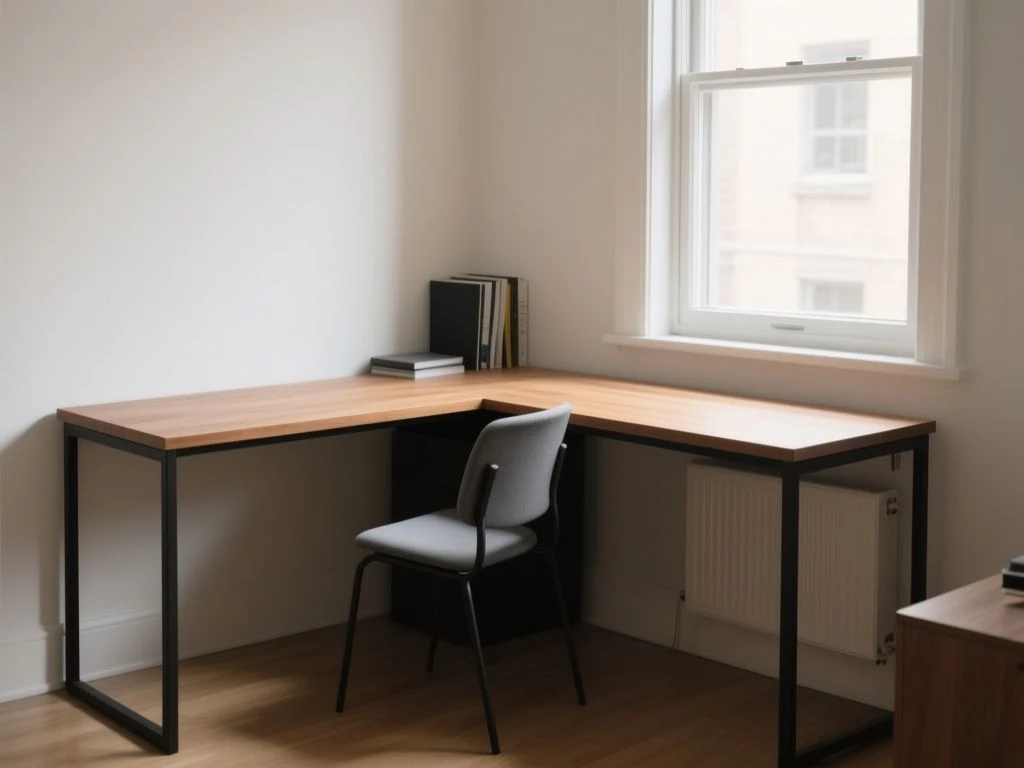
Corner desks fail when their shape is treated as usable space.
A corner desk should be evaluated by usable reach, knee clearance, and the circulation path, not by total desktop area alone. The inside corner can become dead space, while the return may force an awkward monitor or chair position; the practical comparison is between the desk’s actual geometry and the room’s fixed constraints, including wall orientation, baseboards, outlets, equipment-clamp locations, and whether the layout needs to change later.
This corner desk buying guide takes a renter-first view. The right desk works in the room now, can move through a doorway later, and does not demand a permanent wall alteration just to manage cables or prevent movement.
Key Takeaways
- Measure the complete footprint, door swing, baseboards, outlets, and circulation path before choosing an orientation.
- Judge usable reach, knee clearance, clamp access, and cable routing separately from the advertised desktop area.
- Choose materials and construction that tolerate rented-room moves, careful cleaning, and future layout changes.
Beginner: Start with the room, not the desk
Step 1: Map the fixed constraints
Begin with a tape measure, masking tape, paper, and a pencil. Record the two wall lengths available to the desk, then mark the position of every baseboard, outlet, radiator, window trim, door swing, and nearby obstruction. Masking tape on the floor can show the proposed footprint without drilling, lifting furniture, or committing to a return direction.
The manufacturer may list overall width and depth, but those terms are not measured consistently across corner desks. Overall figures may include the return, while usable work surfaces and corner cutouts are often described differently or left unstated. Ask for a dimensioned drawing if the listing does not show the front edge, inside corner, support locations, and underside clearance.
A corner desk fits a room only when its full footprint clears the walls, openings, and circulation path at the same time. A desk that reaches both walls but blocks a door swing is not a successful fit.
Step 2: Test the return orientation
A left-return desk places the shorter or secondary work surface on the user’s left when seated at the main position. A right-return desk places that surface on the right. These labels describe the intended orientation from the seated user’s viewpoint, but listings can be unclear, so confirm the diagram rather than trusting a product photograph.
A reversible desk allows the return to be assembled on either side, provided the frame and panels genuinely support both arrangements. Reversible does not mean universally suitable. Baseboards, outlet positions, cable openings, corner windows, radiator placement, and door clearance can make one arrangement workable and the other irritating.
A symmetrical corner desk gives comparable reach on both sides of the corner. That can simplify room planning, but symmetry does not guarantee comfortable seating. The knee opening, support positions, and monitor placement still decide where the chair can sit.
Use masking tape to mark both a left-return and a right-return footprint before assembly. Sit in the planned chair position and turn toward each surface. The side that leaves a clear path to the door and keeps the primary screen in front of you deserves priority.
Step 3: Check circulation before furniture arrives
Do not measure only the empty corner. Trace the route from the room entrance to the window, storage, and any other regularly used area. A return that looks compact on paper can create a pinch point beside a chair, filing cabinet, or bed.
Room-planning clearances depend on the room, the chair, and the way you move through it, so the listing cannot settle the question for you. Mark the chair’s occupied position with tape, then mark the desk’s outer edges and walk through the room with the door opening and closing.
Renters should also plan the eventual exit. Check the desk’s packaged and assembled dimensions if the manufacturer provides them, and look at stair turns, lift doors, and narrow hallways. A corner desk that cannot be separated into manageable sections can create a moving-day problem even when the finished footprint works.
Our comparison of Command Strips and nails is useful for planning small, removable cable labels or lightweight accessories, but a desk should not be secured to a rented wall with adhesive unless the wall finish and the product instructions clearly allow it.

Beginner: Separate advertised area from usable work surface
What the inside corner really contributes
The inside corner often looks like valuable surface area in a catalogue photograph. In practice, a monitor, keyboard, desk lamp, and your forearms may occupy the central zone, while the angled or cutout section becomes difficult to reach without twisting.
Usable reach means the portion of the desktop you can access while seated with your shoulders relaxed and your chair aligned with the work surface. The manufacturer rarely states that figure. Treat the corner as a transition zone until the drawing proves that it supports comfortable work rather than merely adding board area.
A large return can be useful for paperwork, a second device, or task lighting, but only if your chair can approach it without trapping your knees. A narrow return may work as a side surface while offering little room for a second monitor or writing pad.
Total desktop area does not show how much of a corner desk supports comfortable seated work. The practical measure is reachable surface beside a clear keyboard and knee position.
Plan the primary position first
Choose where your main monitor, keyboard, and chair will sit before assigning a purpose to the return. The principal screen should face the regular seating position, not sit deep in the corner simply because the corner appears central. Computer-workstation ergonomics and monitor height matter more than filling every visible inch.
Write a simple plan on paper: primary screen, keyboard, mouse, lamp, notebook, and any equipment that must remain connected. Then draw the cable route to the nearest outlet. If that route crosses the return or passes behind a closed panel, check whether the desk includes a cable opening and whether the opening aligns with the equipment.
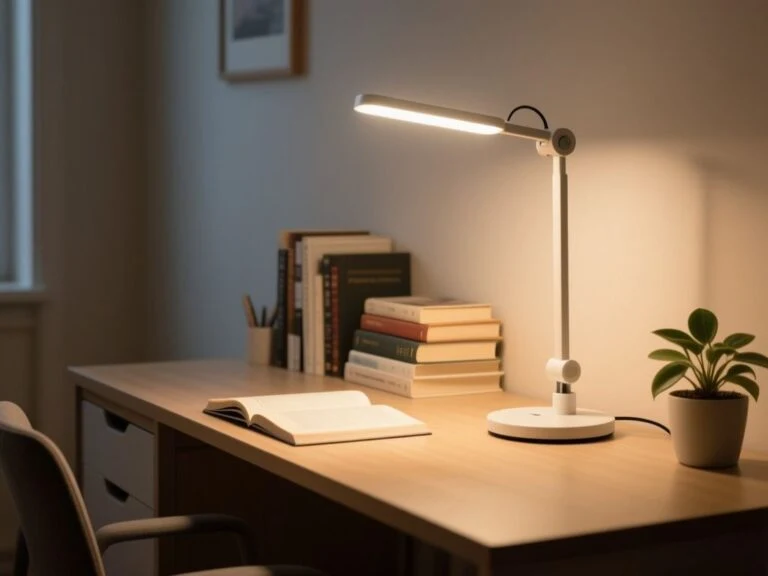
Task lighting in a corner needs care because two walls can reflect light back toward a screen. A lamp placed on the return may reduce clutter at the primary position, but only if its cord can reach power without crossing the chair path.
Account for the underside
Desktop area tells you almost nothing about knee and legroom. Inspect the underside drawing for legs, crossbars, modesty panels, drawers, support rails, and the corner joint. A decorative apron can look tidy while preventing your knees from moving into the position that the desktop suggests.
Place the chair at the intended main position and identify where your knees rise, where your feet rest, and how far the chair needs to move when you sit down. The desk should allow the chair to approach the work surface without striking a support or forcing a sideways posture.
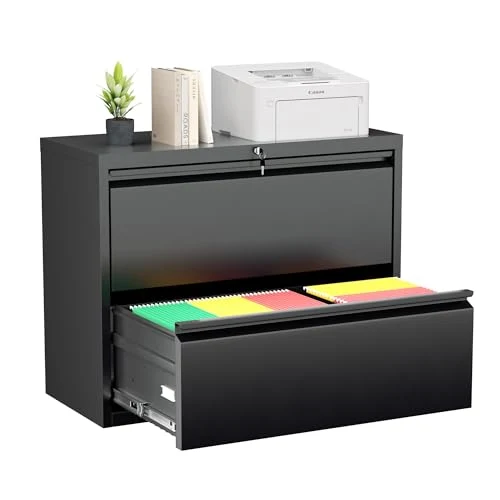
A filing cabinet needs more than a visual gap. Its width, drawer travel, handle clearance, and relationship to the return all matter. If the manufacturer does not provide the underside dimensions, do not assume a cabinet or keyboard tray will fit.

Intermediate: Match construction to rented-room use
MDF, particleboard, and solid wood
MDF, or medium-density fiberboard, is an engineered wood panel with a smooth, uniform surface that commonly accepts paint, laminate, or veneer. Its edges and fastener locations deserve attention during assembly because water exposure can damage the panel, and repeated disassembly can reduce holding strength.
Particleboard is made from wood particles bonded into panels. It can keep a desk relatively light and affordable, but exposed edges and damaged surfaces are vulnerable to moisture. A swollen panel can affect alignment, while repeated screw removal can weaken a connection.
Solid wood is a natural wood construction rather than a particle-based panel. Its appearance and repair possibilities vary with the species, finish, and joinery, so the label alone does not establish stability. A solid-wood desktop can also be heavy to move, which matters in a rental where furniture may need to pass through narrow turns.
MDF and particleboard can swell after water exposure and may lose holding strength when repeatedly disassembled. Heavy equipment should be distributed across supported areas rather than concentrated at an unsupported span.
Laminate, melamine, and veneer
Laminate is a surface layer bonded to a substrate such as MDF or particleboard. Melamine is a resin-based surface commonly fused to a board panel. Both can offer a consistent finish, but the underlying board still determines how the edge responds to water and impact.
Veneer is a thin layer of real wood applied over a substrate. It can provide the look of wood without making the whole panel solid wood, but the care instructions should address water, heat, and scratches rather than relying on the word wood alone.
Use a soft, slightly damp cloth for routine cleaning, followed by a dry cloth. Do not leave standing water on a laminated or veneered surface, place hot objects directly on the finish, or drag equipment across the desktop. The listing should state the approved cleaner if a special finish is present; absent that information, use the least aggressive method.
Laminate protects the visible surface, not every edge, joint, or underside. A desk’s exposed substrate still needs protection from spills during cleaning and from damp items left near seams.
Look for responsible material information
FSC certification addresses responsible forestry through a certification system, while CARB Phase 2 concerns formaldehyde emissions from regulated composite wood products. GREENGUARD Gold certification addresses limits for chemical emissions from products used in indoor environments. These labels answer different questions, so one should not be treated as a substitute for the others.
Check the listing for the exact certification, the certified product or material, and any documentation. A vague statement such as eco-friendly does not identify a standard. The manufacturer’s material description also should not be expanded into a claim about emissions or sourcing when the certification is absent.
The FSC system sets requirements for products that carry FSC certification, while CARB establishes the CARB Phase 2 formaldehyde-emissions standard for covered composite wood products. Certification language belongs to the product documentation, not to a guess based on the finish.
Intermediate: Check equipment compatibility before assembly
Monitor arms and VESA screens
A monitor arm does not attach to empty desktop space; its clamp needs an accessible, sufficiently strong edge and clear room beneath that edge. Decorative aprons, modesty panels, beveled edges, drawers, and rear lips can prevent a clamp from closing or can force the arm into an unstable position.
VESA MIS-D describes a monitor mounting interface used by compatible displays. The standard concerns the monitor-side mounting pattern, not the desk’s clamp opening or the strength of the desktop. Confirm both sides independently.
VESA compatibility does not prove that a corner desk can support a monitor arm. The desk listing must also provide an edge that accepts the clamp and an underside free of obstructions.
Mark the intended clamp position on the plan before buying the desk. Keep it away from a corner joint or unsupported overhang when the drawing shows those areas. If the listing does not show the edge thickness or underside clearance, treat arm installation as unconfirmed rather than guaranteed.
Keyboard trays and filing cabinets
A keyboard tray needs unobstructed underside space, a suitable mounting surface, and enough leg clearance for the seated user. A tray can solve surface crowding while creating a knee obstruction, especially beneath a corner or drawer unit.
Filing cabinets need floor space that does not overlap the chair’s movement or block a return. Measure the cabinet itself and draw its open-drawer position, because a closed footprint does not show whether the drawer can be used safely and comfortably.
Cable trays need attachment points and a route toward power. Adhesive cable clips may be removable, but they do not replace a proper cable tray when multiple cords hang from a desktop. A renter-friendly plan keeps cable management attached to the furniture wherever possible.
Electrical and height-adjustable features
Desks with electrical or height-adjustable components require cable slack, anti-tip awareness, and compatibility checks for power strips, motors, and nearby wall outlets. A cable that is merely long enough at one height may pull tight when the surface moves.
Keep the power strip accessible and avoid trapping its switch behind a return or panel. The manufacturer should identify the electrical components, control arrangement, and cable requirements. If those details are missing, do not infer that a nearby outlet or generic power strip will solve the installation.
Electrical furniture should be assembled according to the manufacturer’s instructions and positioned so that cords do not cross a walking route. The U.S. Consumer Product Safety Commission publishes consumer safety information for household products, but its general guidance cannot confirm the compatibility of a particular desk and accessory.
Advanced: Diagnose wobble, sag, and wall contact
Why a corner desk wobbles
Wobble usually begins with the relationship between the floor, the frame, and the fasteners. An uneven floor can leave one support unloaded. Loose connections can let the frame shift. A long unsupported span can flex under concentrated equipment even when the desktop looks thick.
The corner joint deserves special attention because two work surfaces meet there and users often place heavy monitors or accessories nearby. Review the support layout, not only the top panel. A desk with a broad surface but sparse support can create a less useful arrangement than a smaller desk with a clearer load path.
Wobble can come from an uneven floor, loose fasteners, or an unsupported span rather than from the desktop surface alone. Tightening hardware according to the instructions and distributing equipment across supported areas addresses different causes.
Why a desk sags
Sag relates to span, support, material, and load placement. MDF and particleboard are panel materials, not proof of a particular load capacity. Concentrating a heavy monitor arm, computer, and books at the middle of a return places more stress on the area than spreading the weight near supported sections.
The manufacturer does not always publish a load capacity for each section. If that figure is absent, avoid treating the entire desktop as equally suitable for heavy equipment. Put the primary screen near a supported position and keep dense storage away from a long unsupported edge.
Why a desk pulls away from the wall
Many corner desks are designed to stand against walls, but the wall should not be assumed to carry the desk unless the instructions require an attachment. Baseboards can hold the back edge away from the wall, while an uneven corner can create a gap at one end. A return may then act like a lever when the user leans on it.
Measure the baseboard depth and inspect the rear profile. A cutout may clear the baseboard, while a flat back may require a gap. Do not remove a rental baseboard to make furniture fit; choose a layout that respects the existing trim.
A wall is not a substitute for a level, supported frame. Use the manufacturer’s leveling method, keep the rear cables from pushing the desk forward, and avoid permanent anchoring unless the tenancy allows it and the instructions call for it.
Protect the rental during setup
Use moving blankets or clean cardboard under panels during assembly. Keep hardware in a labeled container, photograph the original wall and floor condition, and save the assembly instructions for the next move. These steps cost little and make it easier to return the room to its prior state.
Do not drill through a wall to solve a cable problem before testing furniture-mounted routing. If a safety attachment is required, check the lease and ask the property manager about an approved method. A removable decorating solution may be suitable for lightweight accessories, but it should never be presented as structural support.
The same wall-first measuring approach used in this wall mirror buying guide applies to a desk: locate trim, outlets, and surface changes before deciding where furniture can sit.
Advanced: Plan for changing layouts and ongoing costs
Fixed L-shape or separate return?
An integrated L-shaped desk can make the two surfaces read as one workstation and may reduce the visual clutter of separate furniture. Its fixed geometry can also become a problem after a move, a room change, or a change from one monitor to two.
A straight desk with a separate return usually offers more layout freedom because the pieces can be repositioned independently. The tradeoff is a visible joint, a possible height mismatch, and the need to keep both pieces stable without one pushing into the other.
A separate return is more adaptable only if its height, depth, support, and cable plan work beside the straight desk. A fixed L-shape is more predictable only if the room’s walls and working position are unlikely to change.
Assembly and moving costs
Ongoing costs are not limited to the purchase price. Assembly may require extra time, a screwdriver, an appropriate driver bit, floor protection, and help with heavy panels. The listing may not state whether replacement hardware is available, so keep every spare fastener and the original instructions.
Moving can require partial disassembly, protective wrapping, and a vehicle or helper suited to the desk’s size and weight. MDF and particleboard panels may be less forgiving of repeated screw removal, so a design intended to separate into clear sections can matter more than a slightly cleaner finished silhouette.
Replacement hardware, damaged edges, lost cam fittings, and cable accessories can create later expenses. Before purchase, inspect whether the manufacturer identifies fastener sizes, spare parts, finish codes, or a support contact. Missing information does not mean the desk is poor; it means future repair is less certain.
Clean and protect the surface
Keep liquids in containers with secure lids and use a desk mat beneath writing tools or equipment that may scratch. Wipe spills promptly, especially near seams, cable openings, and exposed edges. Heat can mark some finishes, so use a protective pad beneath hot objects rather than testing the surface.
Never soak a laminate, melamine, veneer, MDF, or particleboard desk. Water can reach the substrate through a seam, chipped edge, drilled hole, or damaged coating even when the top appears sealed.
Clean the surface with a soft cloth and the mildest method allowed by the manufacturer. Abrasive pads, harsh solvents, and excess water can change the sheen or damage the finish; the exact care guidance should come from the desk’s documentation.
Use a final decision sheet
Before ordering, write the answers to these questions in one place:
- Which wall receives the return, and what makes that orientation workable?
- Where will the chair sit, and can your knees move without striking a panel or support?
- Which desktop edge will receive a monitor-arm clamp, if any?
- Where will the keyboard tray, filing cabinet, power strip, and cable tray go?
- Does the rear edge clear baseboards, outlets, radiators, and window trim?
- Can the desk be moved through the home and disassembled without damaging panels?
- Which material and certification claims are actually stated in the listing?
Keep the sheet beside the dimensioned drawing. If a critical answer is missing, contact the manufacturer before purchase rather than filling the gap with a guess.
The most renter-friendly corner desk is the one whose geometry remains useful without permanent wall changes. That means the desk must provide a workable chair position, an accessible power route, and enough structural support for the equipment you actually plan to place on it.
For adjacent bedroom planning, our Duvet vs Comforter: Top Picks and Expert Buying Guide explains the same useful principle: compare the item’s actual dimensions and care demands with the room and routine, rather than relying on a broad category label.
Frequently Asked Questions
How do I tell whether an L-shaped corner desk will actually fit my room?
Measure both wall runs, the complete desk footprint, baseboards, outlets, window trim, radiator position, door swing, and the route to the entrance. Mark the proposed shape on the floor with masking tape, including the chair and return. A corner desk fits only when the furniture, seated user, open door, and normal circulation can occupy the room without conflict.
Is a reversible corner desk always suitable for either side?
No. Reversible describes the assembly options, not every room condition. A baseboard, outlet, radiator, window, or door may make one return orientation impractical. Confirm that the frame, rear panels, cable openings, and supports can be rearranged as claimed, then test both footprints with tape before assembling the desk.
Will a monitor arm or keyboard tray fit under a corner desk?
Only if the desktop edge is accessible and strong enough for the accessory, with clear space beneath the clamp or tray hardware. Aprons, drawers, modesty panels, bevels, and rear lips can block installation. VESA MIS-D confirms a compatible monitor interface, not desk-clamp compatibility, so check the monitor and desk requirements separately.