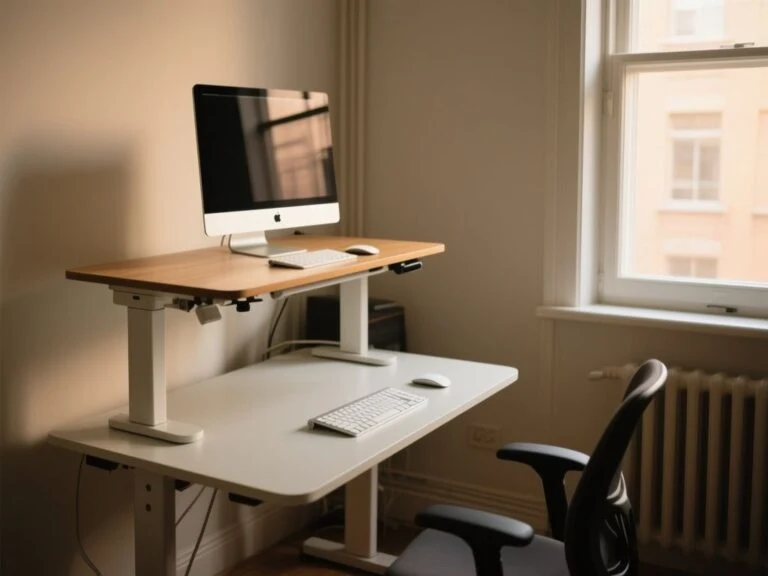
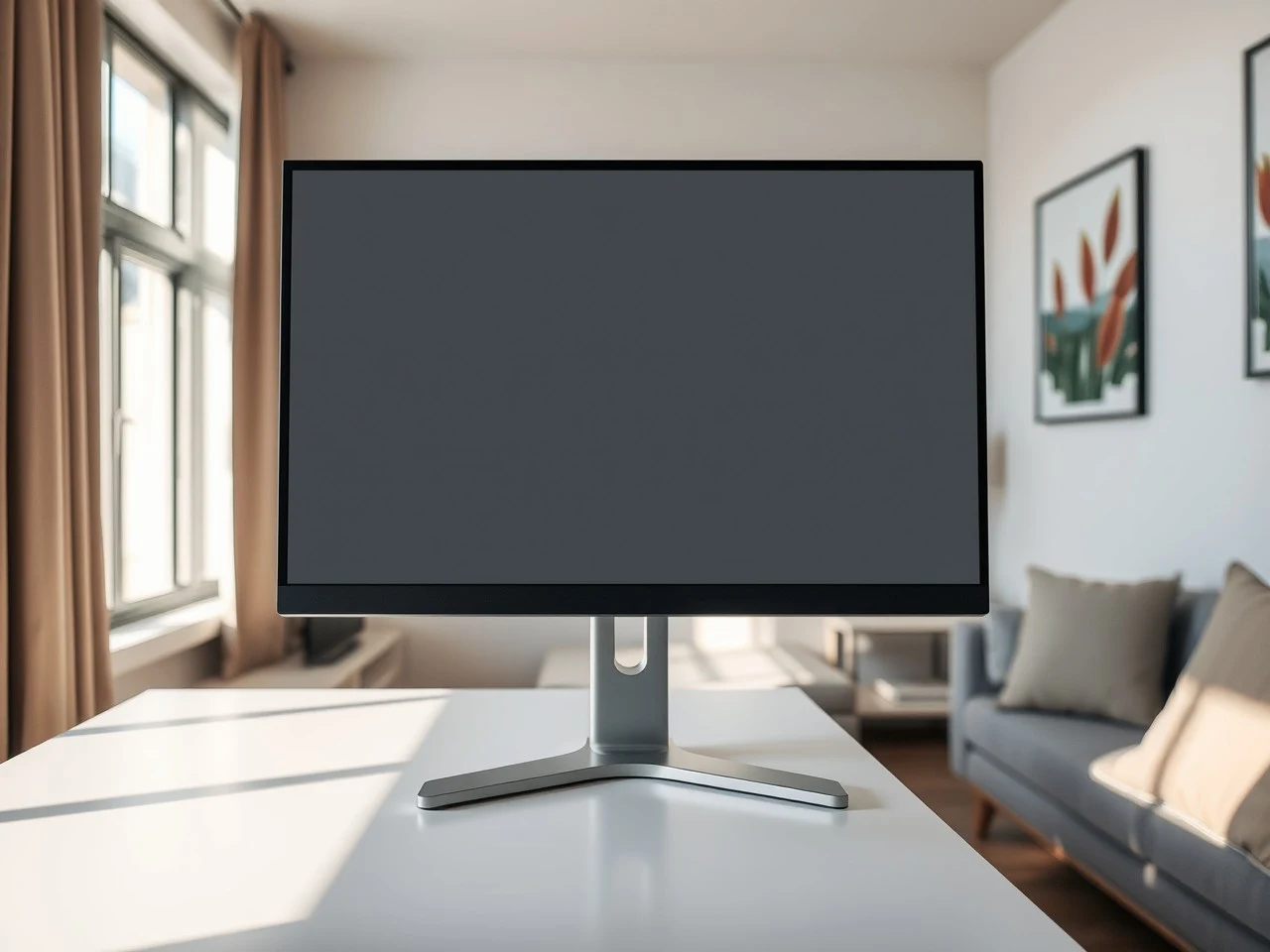
A screen parked too low drags the head forward, and one parked too high tilts it back. Either way the neck pays. The best monitor stands for posture fix that by putting the top of the screen at or just below eye level, at roughly arm’s length, and holding it there. This list compares six stands on height range, tilt, mount type and weight rating, since those decide whether a stand helps or just looks tidy.
As an Amazon Associate we earn from qualifying purchases. This does not affect the price you pay.
CERTAIN CONTENT THAT APPEARS ON THIS SITE COMES FROM AMAZON. THIS CONTENT IS PROVIDED ‘AS IS’ AND IS SUBJECT TO CHANGE OR REMOVAL AT ANY TIME.
The HUANUO FlowLift Dual Monitor Stand is the pick: two full-motion arms, each rated for 4.4 to 19.8 lbs, with clamp and grommet mounting and a 5-year warranty.
| Product | Best for | Screen sizes | Weight rating |
|---|---|---|---|
| HUANUO FlowLift Dual Monitor Stand | Best overall | 13-32 inch | 4.4 to 19.8 lbs per arm |
| MOUNTUP Single Monitor Stand | Best value | 13-32 inch | 17.6 lbs |
| Hemudu Vertical Stack Dual Monitor Stand | Dual screens, no clamp | 13-34 inch | 44 lbs (listing wording varies) |
| VIVO Single VESA Monitor Stand (STAND-V001R) | Pneumatic height changes | 17-32 inch | 4.4 to 22 lbs |
| Hemudu Single Freestanding Monitor Stand (HT05B-003) | Large curved screens | 27-43 inch | 77 lbs |
| Pegzone Vertical Dual Monitor Mount | Stacked dual on a clamp | 17-34 inch | 33 lbs per arm |
CozyHomeCanvas is funded by affiliate commission. Our picks come from comparing published specifications and documented features against what matters in the category — no brand pays for a place on this page. If you buy through a link here we may earn a commission at no extra cost to you, and it pays for the research behind the next guide. Full disclosure.
HUANUO FlowLift Dual Monitor Stand (Full-Motion Clamp and Grommet Arms)

HUANUO FlowLift Dual Monitor Stand (Full-Motion Clamp and Grommet Arms)
- BrandHUANUO
- ModelHNDS6
- Dimensions16.06 inches x 12.0 inches x 6.85 inches
- Weight11.0 pounds
- Size / capacity13-32 Inch
- ColourBlack
- Warranty5 year manufacturer
Quick take: The most complete posture tool here for anyone running two screens side by side on a sturdy desk.
The HNDS6 is a two-arm mount for 13-32 inch screens. It takes VESA 75×75 and 100×100 plates, and each arm is rated for 4.4 to 19.8 lbs. You get both a C-clamp and a grommet base, and it weighs 11.0 lbs. The 5-year manufacturer warranty is the longest on this list. The listing also describes portrait rotation and one-handed pull-in and push-back movement. That lets it sit at arm’s length.
That minimum of 4.4 lbs sets a floor. Arms like this work against a spring, so a very light monitor may not hold position and can drift up. Heavy ultrawides are out too, since 19.8 lbs per arm is a lower ceiling than the Pegzone’s or either Hemudu. The seller recommends wooden desks only (not plastic or glass) within a 0.59 to 3.54 inch thickness range, so glass-top owners should look elsewhere. Vertical travel isn’t listed. It’s a number worth confirming before ordering. Among the best monitor stands for posture, side-by-side dual arms also avoid the stacked-screen problem of an upper display sitting too high.
Pros:
- Per-arm weight range — 4.4 to 19.8 lbs covers most standard 24 to 27 inch panels.
- Two mount types — C-clamp and grommet bases suit desks with or without a rear edge to grip.
- Full motion — pull-in, push-back and portrait rotation make arm’s-length positioning realistic.
- 5-year warranty — a longer cover than any other stand in this roundup.
Cons:
- Desk restrictions — the seller advises wooden desks only, which rules out glass and plastic tops.
- Weight ceiling — 19.8 lbs per arm will not carry large or heavy displays.
Who Should Buy This
Best overall: Two-monitor users with a solid wooden desk who want screens moved forward and back. Skip if: The desk is glass or thin, or the monitors are heavy ultrawides.
MOUNTUP Single Monitor Stand (Freestanding, No Clamp)
- BrandMOUNTUP
- ModelMU0023
- Dimensions15.35 inches x 11.14 inches x 2.64 inches
- Size / capacitySingle
- ColourBlack
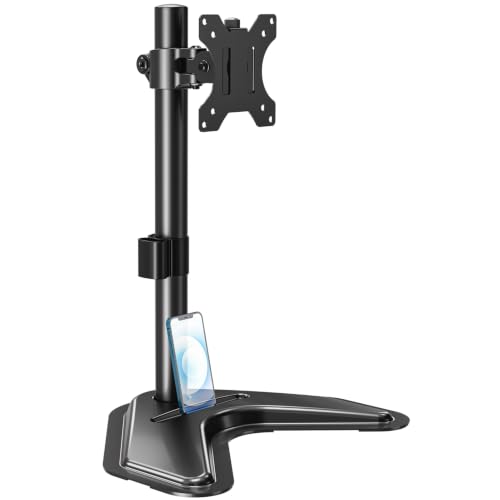
The short version: A low-commitment freestanding riser with real tilt and swivel for one screen.
The MU0023 is a steel freestanding stand measuring 15.35 x 11.14 x 2.64 inches, for 13-32 inch screens with VESA 75×75 or 100×100. The listing claims 17.6 lbs capacity, +/-45 degrees tilt, +/-25 degrees swivel, +/-180 degrees rotation and height up to 17.49 inches. There’s no clamp. So nothing touches the desk edge.
That makes it a sensible entry among the best monitor stands for posture when desk modification is off the table. The trade is stability: a freestanding base leans on its footprint and weight, not a clamp. Nothing clamps to the desk. Its 17.6 lb limit is below the VIVO’s 22 lbs and far below the 77 lb Hemudu. The listing states no weight or warranty, so both aren’t listed.
Pros:
- Freestanding steel base — no clamping, so thin or unusual desks stay untouched.
- Height up to 17.49 inches — enough lift to correct a monitor sitting too low.
- Wide tilt and swivel — +/-45 degrees tilt helps reduce glare and neck angle.
- Cable clip and tool slot — keeps the wrench with the stand and cables out of the way.
Cons:
- 17.6 lb limit — big or curved screens will exceed it.
- Missing details — the listing gives no weight or warranty.
Our Take
Ideal for: One standard monitor on a desk that cannot take a clamp. Pass on this if: The screen is above 100×100 VESA or heavier than 17.6 lbs.
Hemudu Vertical Stack Dual Monitor Stand (Tempered Glass Base)
- BrandHemudu
- ModelHT05B-002
- Dimensions14.2 inches x 9.4 inches x 32.2 inches
- Weight44.0 pounds
- Size / capacity13"-34" MONITOR STAND WITH TEMPERED GLASS
- ColourBlack
In a nutshell: Two screens on one freestanding pole, with a posture catch at the top.
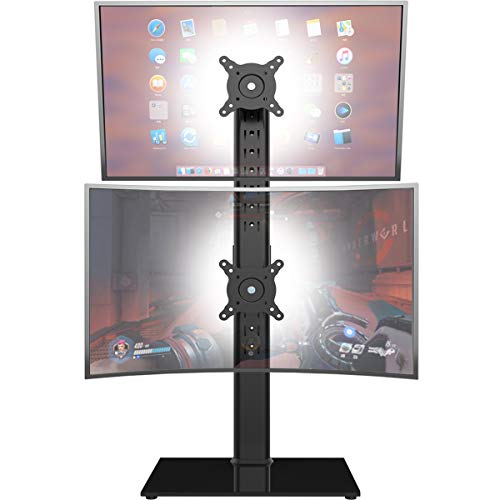
The HT05B-002 measures 14.2 x 9.4 x 32.2 inches and weighs 44.0 lbs, with a tempered glass base. It’s heavy enough to stay put. It fits 13-34 inch screens on 50×50, 75×75 or 100×100 patterns, with +/-50 degrees swivel, +10 to -15 degrees tilt and 12 height levels along the pole. The listing is inconsistent on capacity. The title says one screen up to 44 lbs, while the bullets say 44 lbs each, so confirm before loading it.
Stacked screens are the real question. The upper monitor can end up too high for seated comfort, and the listing gives no heights in inches. Side-by-side arms like the HUANUO avoid that, though they need desk space. Warranty isn’t listed.
Pros:
- Three VESA patterns — 50×50, 75×75 and 100×100 widen compatibility.
- 44 lb stand weight — a stable footing on glass and tempered base.
- One footprint — two screens without two bases.
- Wide swivel — +/-50 degrees helps angle each screen toward the user.
Cons:
- Ambiguous capacity — the title and bullets disagree on whether 44 lbs applies per screen.
- Upper screen height — no inch figures are given, and a stacked top display can strain the neck.
Who Should Buy This
Perfect for: Dual-screen users who cannot clamp, with tall enough seating or standing use. Not great if: Seated work with the upper screen near eye level matters, or the capacity wording is a worry.
VIVO Single VESA Monitor Stand (Pneumatic Arm, STAND-V001R)

- BrandVIVO
- ModelSTAND-V001R
- Weight10.29 pounds
- ColourBlack
- Warranty3 Year Warranty
Why it earns a spot: The only freestanding pick with a pneumatic arm for quick height changes.
The STAND-V001R weighs 10.29 lbs and comes with a 3-year warranty. It fits 17-32 inch screens weighing 4.4 to 22 lbs on VESA 75×75 or 100×100. The gas spring gives a 3 to 12 inch height range, +90 to -90 degrees tilt, and 80 degrees swivel. It also offers 360 degrees rotation and 9.3 to 11.5 inches of forward extension. The base measures 9.9 x 12.8 inches. It turns the arm 85 degrees.
A gas spring is worth having for sit-stand changes. Like the HUANUO, it has a 4.4 lb minimum, so very light monitors may drift. At 12 inches maximum, it’s a riser, not a substitute for a sit-stand desk. Overall dimensions aren’t listed.
Pros:
- Pneumatic arm — height changes without tools.
- 22 lb ceiling — the highest of the single freestanding stands under 77 lbs.
- Forward extension — 9.3 to 11.5 inches helps arm’s-length placement.
- 3-year warranty — mid-range cover.
Cons:
- 12 inch maximum height — tall users may want more lift.
- No overall dimensions — only the base is listed.
The Real Deal
Great match for: One-monitor users who change height during the day. Think twice if: The monitor is under 4.4 lbs or a large curved panel.
Hemudu Single Freestanding Monitor Stand (77 lb Capacity, HT05B-003)
- BrandHemudu
- ModelHT05B-003
- Dimensions14.2 inches x 9.5 inches x 26.7 inches
- Size / capacitySINGLE 27"-43" MONITOR STAND
- ColourBlack
Here’s the deal: The only stand here built for 27-43 inch curved and heavy screens without clamping.
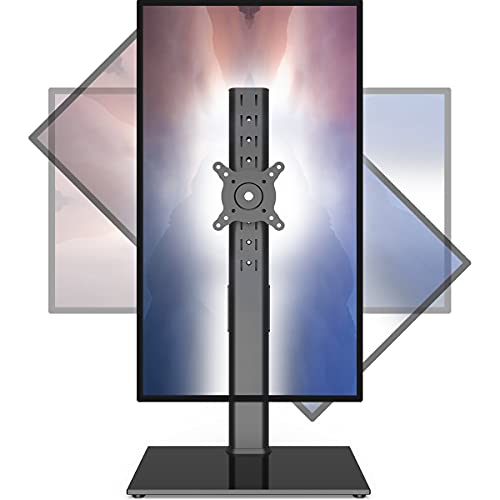
The HT05B-003 stands 14.2 x 9.5 x 26.7 inches on a tempered glass base. It has a listed 77 lb capacity, -15 to +10 degrees tilt, +/-45 degrees swivel and 360 degrees rotation. That’s the highest rating on this list, and the only one meant for 27-43 inch displays. Cable routing is concealed.
The gap is height range. No adjustment figure is listed, and 26.7 inches is overall size, not travel. For posture, tilt matters most, and -15 to +10 degrees is narrower than the VIVO’s. Weight and warranty aren’t listed.
Pros:
- 77 lb rating — covers heavy curved and ultrawide screens.
- 27-43 inch range — suits displays the others cannot take.
- Freestanding glass base — no clamp or drilling.
- 360 degrees rotation — useful for portrait and angling.
Cons:
- No height range listed — a key posture spec is missing.
- Narrow tilt — -15 to +10 degrees limits glare correction.
Final Thoughts
Best for: Large curved monitors on a desk that cannot take a clamp. Skip if: A small screen or confirmed height range matters.
Pegzone Vertical Dual Monitor Mount (Stacked, Clamp and Grommet)

- BrandPEGZONE
- ModelHWL1001C-2BK
- Dimensions4.6 inches x 4.6 inches x 40.9 inches
- Weight5.0 pounds
- ColourBlack
- Warranty2 Year Manufacturer
Quick take: A stacked dual arm with real weight capacity, though the upper screen needs scrutiny.
The HWL1001C-2BK is an all-metal pole mount measuring 4.6 x 4.6 x 40.9 inches and weighing 5.0 lbs, with a 2-year warranty. It takes 17-34 inch screens at 33 lbs per arm on VESA 75/100. Clamp mounting suits 0.39 to 3.1 inch desks, while grommet mounting covers 0.39 to 1.8 inch. Tilt is +/-15 degrees and swivel +/-30 degrees. Rotation is 180 degrees.
The listing gives the upper monitor 24.6 to 31.7 inches and the lower one 10 to 14.8 inches. A screen that high is risky for neck comfort in seated use, so check eye level before you buy. Among the best monitor stands for posture, this suits standing or tall setups better than low-seated desks. Clamp mounting also needs a sound desk.
Pros:
- 33 lb per arm — more headroom than the HUANUO’s 19.8 lbs.
- Clamp and grommet — a wider desk-thickness range than most.
- 5.0 lb weight — a light pole once mounted.
- Portrait rotation — 180 degrees for coding or reading.
Cons:
- High upper screen — 24.6 to 31.7 inches may sit above comfortable eye level.
- Desk dependence — clamping needs a sturdy surface.
Who Should Buy This
Ideal for: Heavier dual stacked setups on a solid desk. Pass on this if: Seated, low-eye-level use or a glass desk is likely.
How We Chose These Monitor Stands for Posture
These picks come from comparing published specifications and documented features. None of the stands were tested hands-on. Height range, tilt and swivel, and weight rating carried the most weight. They decide whether a screen can reach eye level at a comfortable distance. Mount type came next. Before ordering, check the monitor’s weight, its VESA hole spacing and the desk’s thickness and material against the listing.
How to Choose the Best Monitor Stands for Posture
The monitor stand buying guide covers the basics. The factors below are the ones that separate these six.
Check VESA fit first
The Video Electronics Standards Association publishes the Flat Display Mounting Interface (FDMI). It’s also called the VESA Mounting Interface Standard, and it governs attaching flat panels to stands. Most monitors carry four threaded holes on the back. They meet an adapter bracket. Every stand here lists 75×75 and 100×100, and the Hemudu vertical adds 50×50. Many curved or ultrawide models need an adapter or a different pattern, and recessed backs may need spacers.
Match size and weight carefully
Screen size is specified diagonally, corner to corner, so a 32 inch panel isn’t 32 inches wide. Check that diagonal against the range. Then check weight per arm. Gas-spring arms, such as the VIVO and HUANUO, also have a minimum load. Sag usually means the load is outside the range, or the tension isn’t set.
Pick the mount type to suit the desk
Clamp and grommet arms depend on desk material and thickness. Glass, hollow-core and thin particleboard can crack or fail. The HUANUO’s seller advises wood. Freestanding bases avoid that, but they lean on footprint for stability, which can mean a wobble when typing.
Eye level and the stacked-screen problem
The practical rule is the top of the screen at or slightly below eye level. It sits roughly an arm’s length away. Stacked vertical setups can leave the upper monitor too high.
Where the best laptop stands for posture fit in
A laptop on a riser needs a separate keyboard and mouse to keep the screen at eye level. Sit-stand desks and a supportive chair matter too, since localized pressure, force and posture are all risk factors in desk work.
Our Final Recommendation
The HUANUO FlowLift Dual Monitor Stand is the overall winner: two full-motion arms, clamp and grommet options, and a 5-year warranty. The MOUNTUP Single Monitor Stand is the best value, a freestanding single arm with generous tilt and swivel. For large curved screens, the Hemudu 77 lb stand is the premium capacity pick, though its height range is unlisted. Match weight, VESA and desk type first.
Frequently Asked Questions
Does a monitor stand actually fix bad posture?
A stand helps. It doesn’t fix posture alone. Even so, it lets the top of the screen sit at or just below eye level at arm’s length. That removes one reason to crane the neck. Chair setup, keyboard position and regular movement still matter, so treat the stand as one part of the desk.
Should I choose a clamp arm or a freestanding stand?
Clamp or grommet arms free up desk space but need a suitable desk. Wood within the listed thickness works. Glass or hollow-core can fail. Freestanding stands, such as the MOUNTUP or VIVO, need no modification. They rely on base weight for stability, so they suit lighter monitors better.
How do I know if my monitor is VESA compatible?
Look for four threaded holes on the back. Measure the spacing in millimetres, centre to centre. A 75×75 or 100×100 pattern fits every stand here. Curved and ultrawide models may need an adapter. Recessed backs may need spacers.
Why does my monitor arm sag or drift?
Sag usually means the monitor weighs more than the arm’s rating, or the tension isn’t matched to it. Gas-spring arms need loads within range, and the HUANUO lists a 4.4 lb minimum, so a very light screen can drift upward. Start with the weight rating. Once that checks out, adjust the tension.