
A desk can look perfectly ordinary and still leave your shoulders raised, wrists bent, or feet unsupported by the end of a work session. The useful distinction is between a conventional desk height and a suitable working height: the former describes a common fixed surface, while the latter depends on the user, chair, task, and accessories. A sound guide should evaluate the whole seated arrangement rather than treating the desk surface as an isolated measurement, and should explain when an accessory can compensate for a mismatch and when it cannot.
Key Takeaways
- A conventional fixed desk commonly measures about 29 to 30 inches from the floor to the desktop.
- Desk height must be judged with the office chair, keyboard, monitor, and foot support together.
- A monitor stand can raise a screen, but it cannot lower a work surface that forces raised shoulders or bent wrists.
- Flat-pack hardware, leg stability, clearance, and adjustment range matter as much as the desktop finish.
What standard desk height actually means
The conventional measurement
For the majority of desks, the floor-to-tabletop measurement is typically 29 to 30 inches. Another commonly cited construction range is 28 to 30 inches. Those figures describe a convention, not a promise that every user will sit comfortably at the surface.
A fixed desk is built around an expected chair and a broad adult user group. That makes production and room planning simpler, but it leaves less room for differences in stature, chair design, leg length, and work habits. A surface that suits handwriting may place a keyboard too high, especially if the forearms cannot rest comfortably while the shoulders remain relaxed.
A conventional desk height describes a common furniture dimension, not a universal ergonomic fit. The phrase is useful for planning a room, checking clearance, or comparing furniture, but it should be the starting point of a setup assessment rather than the final answer.
Why the usual height feels wrong for some people
People do not meet a desk as a bare measurement. They meet it through an office chair, footwear, keyboard, mouse, monitor, and the position of their feet. A chair with a fixed seat can make a reasonable desktop feel too high, while a chair raised to reach that desktop may leave shorter users without firm foot support.
Height also interacts with the task. Writing often tolerates a different arm position from typing. Drawing can involve a tilted surface, a forward reach, or a changing elbow position. A single fixed surface therefore cannot serve every activity equally well for every body.
Desk height and flat-pack hardware
Flat-pack furniture is best evaluated by its hardware before its finish. A handsome desktop is less useful if the leg fasteners loosen, the threaded inserts spin, or the frame cannot stay square during assembly. Working height is only reliable if the structure keeps the surface level and stable.
Check the assembly instructions before tightening anything. Confirm that each fastener reaches the correct hole, that brackets sit flush, and that the legs make full contact with the floor. A desk that rocks or shifts can make the working position feel wrong even when the measured height is suitable.
The U.S. Consumer Product Safety Commission publishes consumer safety information for household products, so its guidance is a useful reference when a desk has an instability, tipping, or assembly concern. The practical check remains straightforward: a properly assembled desk should stand securely without a visible wobble during ordinary use.

How to assess desk height with your chair and task
Step 1: Measure the surface from the floor
Measure from the floor to the upper face of the desk surface, not to the underside of the desktop. Record the result without treating it as a verdict. A conventional surface commonly falls within the 29-to-30-inch range, while some desks sit outside that range for writing, drafting, storage, or adjustable use.
Look at the underside as well. A thick apron, crossbar, drawer unit, or low support can reduce usable leg clearance even when the top measurement seems suitable. Desk clearance for legs is a compatibility issue, not merely a preference about appearance.
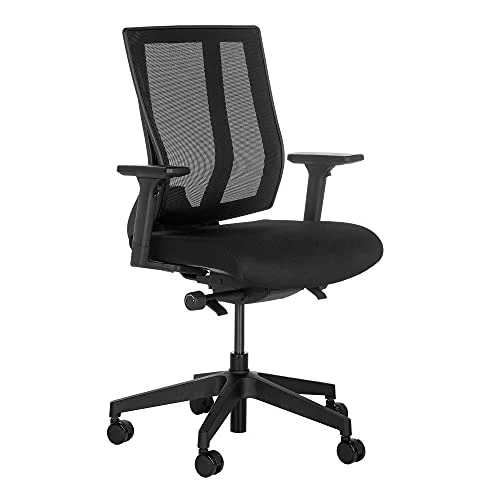
Step 2: Set the office chair before judging the desk
Chairs are generally manufactured to a seat height of 16.5 to 18 inches. That range is a useful reference, but the seat position still needs to be checked against the person using the desk. Raise or lower the chair so the feet can remain supported and the legs have clear space beneath the work surface.
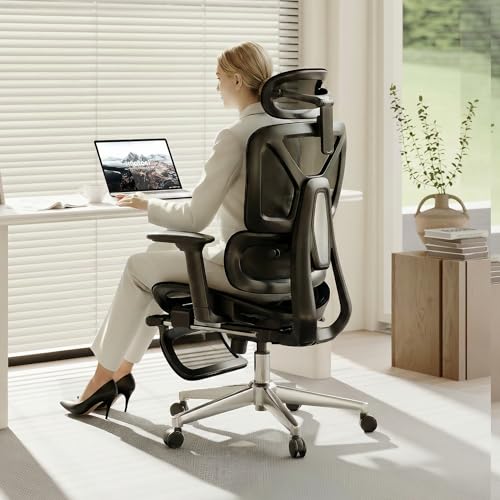
Changing the chair changes the arm position. Raising the seat may bring the elbows closer to the desktop, but it can also reduce foot support. Lowering the seat may help the feet reach the floor, yet it can leave the keyboard too high relative to the shoulders. The desk, chair, and feet must be assessed as one arrangement.
Chair height changes the relationship between the user, keyboard, desktop, and floor. That is why a desk cannot be assessed accurately by measuring the tabletop alone.
Step 3: Check the arm position at the keyboard
Place the keyboard where typing would normally occur and allow the forearms to approach it without lifting the shoulders. The wrists should not need to bend sharply upward to reach the keys. Keep the mouse close enough that it does not pull one shoulder forward.
A desk may be suitable for writing yet unsuitable for keyboard and mouse use if the forearms cannot rest comfortably. A keyboard tray can change the working level, but only if it leaves enough knee and leg clearance and remains stable during use.
Step 4: Check leg clearance and foot support
Look beneath the surface before choosing a chair position. Desk legs, drawers, modesty panels, cable trays, and crossbars can block the space needed for knees or feet. A footrest can help when raising the chair is necessary to reach a high desktop, but it cannot create missing knee clearance.
Feet should have a stable place to rest. If they dangle, the chair position is not solving the entire height problem. A footrest may restore support, while a different chair or desk may be needed if the underside remains obstructed.
This guide to finding the right desk height for a chair offers a useful companion check when the desktop measurement seems reasonable but the seated arrangement still feels mismatched.
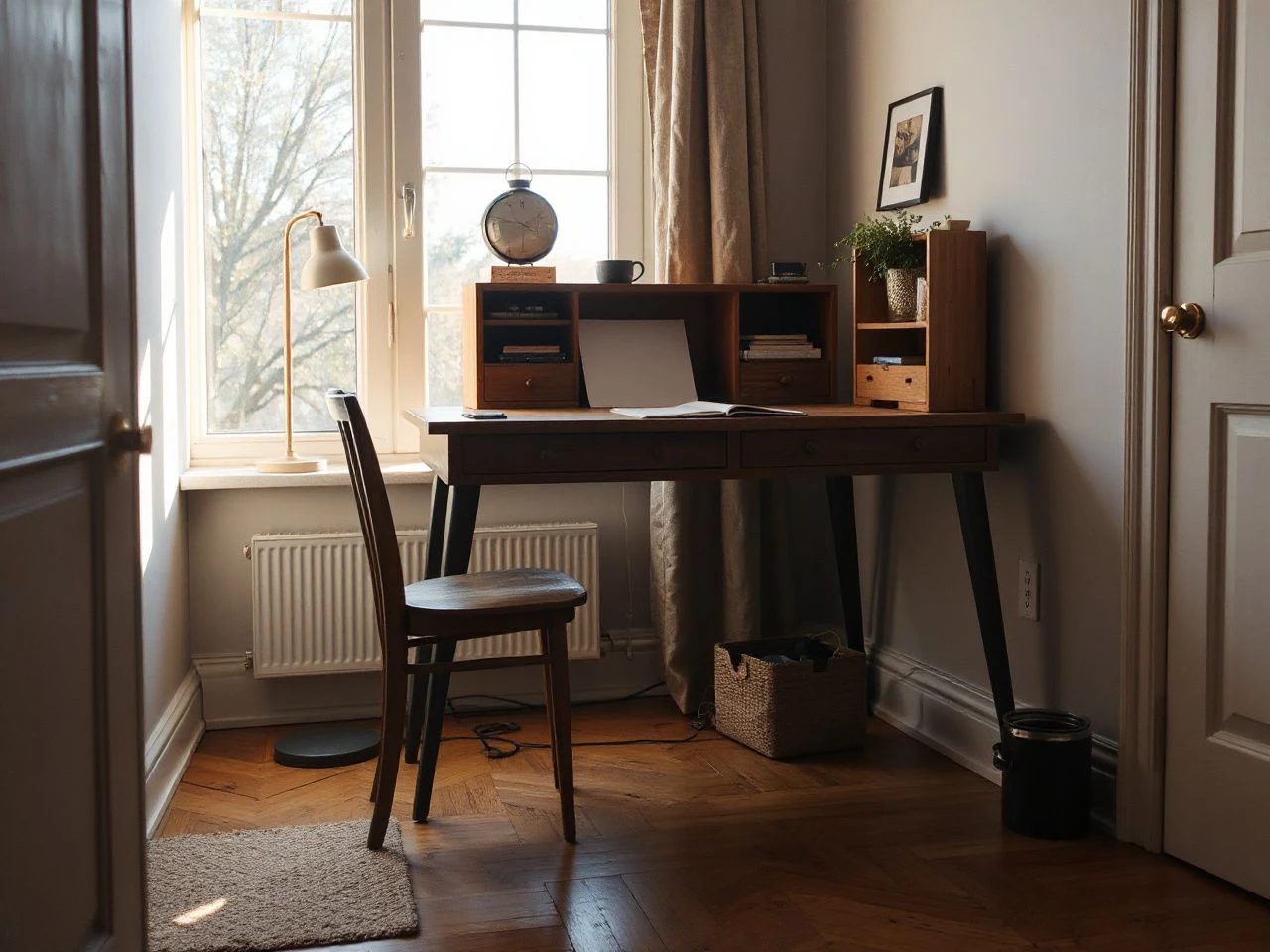
Signs a desk is too high or too low
Signs the desk is too high
- The shoulders rise while the hands reach the keyboard.
- The elbows cannot settle into a relaxed position without lifting the upper arms.
- The wrists bend upward to clear the desk edge or reach the keys.
- The chair must be raised so far that the feet lose firm support.
- A footrest is needed merely to keep the legs supported, while the desktop still feels high.
A high surface can be particularly awkward for shorter users. Adults under 5 feet 4 inches often find a desk height of about 26 inches appropriate, although the chair, task, and clearance still decide whether that figure works in a particular room.
Signs the desk is too low
- The knees or thighs meet the underside of the desktop or its supports.
- The user bends forward or rounds the upper body to reach the keyboard.
- The forearms slope sharply downward from the elbows to the work surface.
- The desktop edge presses into the legs because the chair must move too close.
- The monitor must be placed unusually low because the user is leaning toward the desk.
A desk that measures 32 inches can be excessive for comfortable keyboard use. The visible symptom may appear at the shoulders or wrists rather than at the desktop itself, which is why the whole arrangement deserves attention.
Common setup mistakes
Another mistake is moving the monitor without checking the keyboard. A screen can appear correctly placed while the hands remain too high. A third is treating a monitor stand as a solution to every height problem. The stand changes the screen position, not the level of the desk surface.
How the monitor, keyboard, and accessories should relate
Monitor position
Monitor placement is a separate adjustment from desk height. A commonly cited monitor position is 46.5 to 48 inches, measured according to the setup’s reference point. The exact point of measurement must be kept consistent, because a figure from the floor is not the same as a figure from the desktop.
A monitor stand can raise the screen when the display sits too low on a conventional desk. A tilted monitor may use an angle of 10 to 20 degrees where the screen design and viewing position call for it. The stand should remain stable and should not reduce the usable work area more than the user can tolerate.
A monitor stand can improve screen position, but it cannot correct a work surface that leaves the shoulders raised or the wrists bent. If the keyboard remains too high, the desk or keyboard position still needs attention.
Keyboard and mouse placement
The keyboard belongs at the part of the desk where the elbows can approach the body without a forward reach. The mouse should sit close enough to avoid stretching one arm away from the torso. Keep the front edge of the desk from pressing into the forearms as the hands move.
For a high fixed desk, a stable keyboard tray may reduce the hand position while preserving the monitor location. For a low desk, raising the keyboard can be difficult because the desk may already limit leg and thigh clearance. The available underside space decides whether an accessory is practical.
Footrests and chair changes
A footrest can compensate for a chair that must be raised to meet the desktop. It cannot correct a desk apron or drawer that blocks the knees. Nor can it turn a surface that is too high for relaxed shoulders into a genuinely suitable desk.
Change the chair before replacing the desk when the surface is stable, the underside is open, and the mismatch is mainly caused by seat position. Change an accessory when the monitor or keyboard is the only element out of place. Consider changing the desk when the surface, underside, and fixed hardware prevent a workable seated position.
Fixed-height desks, adjustable desks, and long-term usability
What a fixed-height desk does well
A fixed desk offers a known surface level and a simple frame. It can work well when the chair, user, and task already match. Its limits appear when several people share it, when the desk must support writing and typing, or when a different chair changes the seated relationship.
Fixed furniture also deserves a hardware inspection before aesthetic judgment. Tight, correctly seated fasteners help keep the working height stable. Loose joints, uneven feet, or a frame that twists can alter how the desk feels even if the tabletop has not visibly moved.
What an adjustable-height desk changes
For sitting, adjustable desks are described as optimal within a 22-to-33-inch range, with a minimum adjustment range of 25 to 30 inches. For standing, the cited optimal range is 35 to 47 inches, with a minimum range of 38 to 42 inches. These ranges describe available adjustment, not an instruction to set every desk to the same point.
An adjustable-height desk can accommodate more than one seated position and can make transitions between sitting and standing possible. The frame, controls, joints, and fasteners still matter. If the desk shifts under ordinary typing, a broad adjustment range does not solve the stability problem.
ASTM International develops voluntary consensus standards for products, services, and systems; its standards work illustrates why construction details and performance criteria matter alongside a visible dimension. A desk’s usable adjustment is meaningful only when the structure remains stable throughout its range.
What happens when the height cannot be adjusted
A fixed height can force the user to compensate with a chair, footrest, keyboard tray, or monitor stand. Each accessory changes one relationship, and several compensations can create new conflicts below or above the desktop. The replacement cost is not only financial: an unsuitable desk may also require replacing accessories that were added to rescue it.
In a shared home office, a non-adjustable surface can make the room less flexible. A desk that works for one person may require a different chair or keyboard arrangement for another. An adjustable desk has more scope to accommodate those changes, but its hardware must be inspected carefully before the finish becomes the deciding factor.
Maintaining a stable working height
Inspect the hardware
Check visible screws, bolts, cam fittings, brackets, and leg connections according to the manufacturer’s assembly instructions. Do not force a fastener that is cross-threaded or turning without tightening. A damaged insert may need a proper repair rather than repeated tightening.
Flat-pack construction depends on the connection between panels and hardware. Keep the desk level while checking the joints, because a frame can seem secure while one leg is carrying more load than another. Recheck the surface after moving the desk or changing its accessories.
Watch for movement
Place the keyboard, monitor stand, and other ordinary desk items in their intended positions, then observe whether the surface rocks during normal hand movement. A desk that shifts can make the monitor appear to move and can encourage the user to brace the body against the edge.
A desk keeps its usable working height only when its legs, joints, and fasteners keep the surface level and stable. That is why hardware deserves attention during setup and routine maintenance, not only during assembly.
Keep the underside usable
Cables, storage units, footrests, and trays can gradually reduce clearance. Recheck the knee and foot area after adding equipment. A tidy desktop does not guarantee a usable seated position if the underside has become crowded.
For related office planning, this explanation of standard filing cabinet dimensions can help you place storage without overlooking the desk’s leg clearance. Furniture should be planned as a connected arrangement rather than as isolated objects.
Choosing the right correction for the problem
Use a monitor stand when the screen is the mismatch
A monitor stand is appropriate when the screen sits too low but the chair, keyboard, feet, and shoulders already relate comfortably to the desktop. Check that the stand does not wobble, block the keyboard, or consume the space needed for ordinary work.
Use a footrest when the feet need support
A footrest can help when the chair must be raised to meet a high desk and the desk underside still allows the knees to fit. It does not solve a surface that forces raised shoulders, and it cannot remove an obstruction beneath the desktop.
Change the chair when seat height is the main issue
A chair change may be sensible when the desktop is stable and the problem is limited to seat height, foot support, or the chair’s relationship with the user. Check the chair’s available adjustment, the desk clearance, and the keyboard position together before making the change.
Change the desk when the structure prevents a workable position
A desk may need replacement when its height is fixed at an unsuitable level, its underside blocks the legs, its surface cannot support a usable keyboard position, or its hardware cannot keep the frame stable. Do not let a smooth finish distract from a frame that cannot hold its working geometry.
Frequently Asked Questions
What is the standard desk height for a home office?
A conventional desk commonly measures about 29 to 30 inches from the floor to the desktop, while another common construction range is 28 to 30 inches. That measurement describes a general furniture convention, not a guaranteed fit. The correct setup also depends on chair height, foot support, leg clearance, keyboard position, monitor placement, and the task performed.
How do I know if a standard desk will fit my height?
Set the chair so the feet remain supported, then place the keyboard where you would normally type. If the shoulders rise, wrists bend upward, knees meet the underside, or the feet lose support, the desk and chair do not form a good match. Adults under 5 feet 4 inches often find about 26 inches suitable, but the complete arrangement remains the deciding factor.
Can a monitor stand or footrest fix an unsuitable desk?
A monitor stand can correct a screen that sits too low, while a footrest can support the feet when the chair must be raised to meet a high surface. Neither accessory changes the desktop itself. A stand cannot lower a keyboard, and a footrest cannot create missing knee clearance. Use an accessory for the specific mismatch it addresses, then reassess the entire seated arrangement.
Is an adjustable-height desk better than a fixed-height desk?
An adjustable-height desk offers more scope for different users and tasks. Sitting ranges are commonly described as 22 to 33 inches, with a minimum range of 25 to 30 inches; standing ranges are described as 35 to 47 inches, with a minimum range of 38 to 42 inches. A fixed desk can work well when its height, chair, keyboard, and user already match.
When should I replace the desk instead of changing the chair?
Change the chair or accessories when the desk is stable, the underside is clear, and one relationship is out of place. Replace the desk when its fixed height forces raised shoulders or bent wrists, its legs or drawers block the knees, or its hardware cannot keep the frame steady. A separate guide to standard blind sizes is useful for room planning, but window measurements should not distract from the desk’s working clearance.